

Launch a new Trend + token
1
Open the launcher
Tap Create from the top navigation bar.
2
Set up the Trend
Enter the Trend name, description, and upload a profile image. Add any relevant social links (X, TikTok, website).
3
Configure the token
Pick a ticker, set the initial buy amount, and choose the token type:
- Creator — you’re the IP owner or authorized representative
- Community — anyone can launch; fees route to a community treasury
4
Review and confirm
The launch fee is 30 $IP on top of your opening buy. Review the summary and confirm.
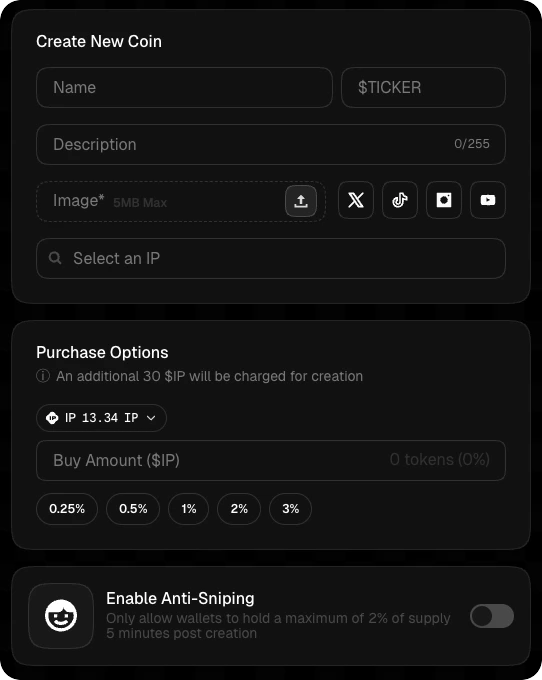
Anti-snipe protection: For the first 5 minutes after launch, each external wallet is capped at 2% of supply per trade. This prevents bots from sniping the entire supply.
Launch a token under an existing Trend
If the Trend already exists, you can add a new token under it instead of creating a new Trend. Navigate to the Trend page and tap Launch token — the flow is the same from Step 3 onward.After launch
Your token is live immediately. Share it, post about it on X or TikTok to start earning UGC rewards, and consider verification to unlock fee distribution and the trust badge.Learn more
Coin types
Creator vs community tokens and how fees split.
Trading
How trading works once your token is live.